The Best Smart Plugs and the Cheap Home Automation That Actually Sticks
Smart plugs are the cheapest way into home automation. We look at platforms, local control, load ratings and the automations people keep using.
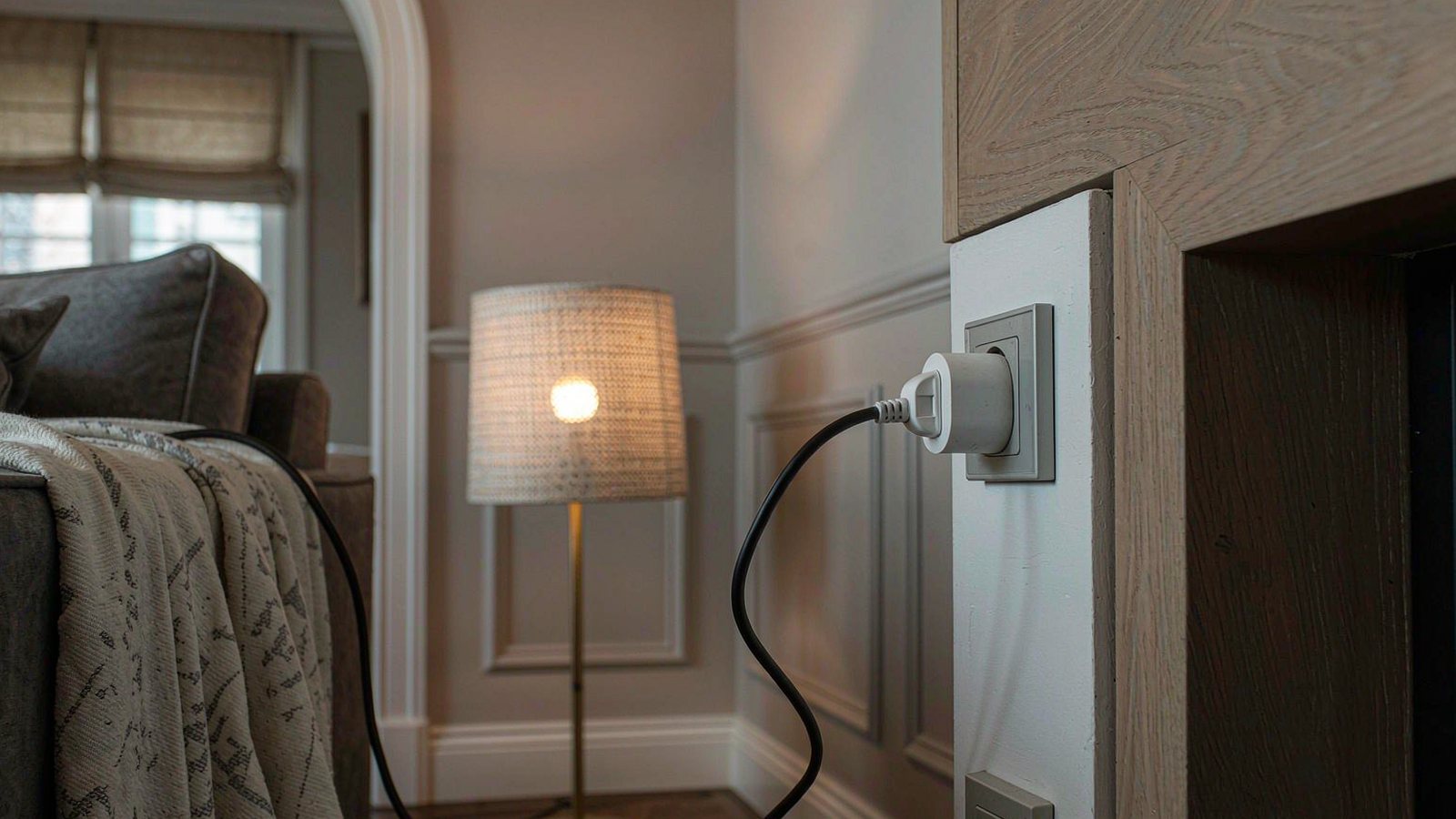
Top picks at a glance
Tap any pick to jump to the full breakdown, or use the link to check the current price.
| Pick | Best for | Check price |
|---|---|---|
| TP-Link Kasa Smart Plug Mini (EP25) Best overall | A first smart plug, or a household that mixes voice assistants | Check price |
| Amazon Smart Plug Best for Alexa households | Households already committed to Alexa devices and happy to stay there | Check price |
| Eve Energy (Matter) Best for privacy and local control | Households that want automation to keep working when the internet does not | Check price |
| Meross Smart Plug Mini Best inexpensive HomeKit option | Apple households that want HomeKit support without paying a premium | Check price |
| Kasa Smart Plug Power Strip (HS300) Best for a desk or media unit | Desks, television units and workshops where several devices need independent control | Check price |
| Govee Smart Plug Best budget multi-pack | Lighting schedules across several rooms on a small budget | Check price |
Home automation has a reputation problem, and it is deserved. Most people start with an ambitious plan involving sensors, scenes and voice control for everything, spend a weekend configuring it, and then stop using all of it within a month. The lights still get turned on by hand.
Smart plugs are the exception. They are cheap, they need no wiring, and the automations people actually keep are simple ones: a lamp that comes on at sunset, a fan that runs for an hour at bedtime, a coffee machine that is ready before you are. That is the realistic scope of home automation for most households, and it is genuinely worth the modest cost.
The platform question, answered without diplomacy
Every smart plug is tied to something. The three realistic options are a voice assistant ecosystem, a hub-based system, or a standards-based approach that tries to work with all of them.
The practical advice is to start from what is already in your house. If you have an Amazon speaker in the kitchen, an Alexa-compatible plug will be less friction than anything else. If you have an Apple TV or a HomePod, HomeKit devices will integrate more cleanly. If you have nothing yet, buy hardware that supports Matter, because it gives you the option to change your mind later without replacing the plugs.
What you should avoid is buying into three ecosystems at once because the plugs were on sale. Managing three apps to control six lamps is worse than controlling them by hand.
What actually matters in a plug
Size against the socket next to it
The most common regret is a plug that covers the neighbouring socket. In a double wall outlet, or on a power strip where sockets are close together, a bulky plug wastes half your capacity. Measure or check the stated dimensions rather than trusting a photo, and prefer a design explicitly described as compact.
Local control versus cloud dependence
A cloud-dependent plug needs a working internet connection and the manufacturer’s servers to respond to commands. That is fine until the servers have a bad day or your broadband drops. Local control means the automation runs inside your home. It usually costs more and sometimes needs a hub, and it is the difference between automation that is convenient and automation you can rely on.
Load ratings and what you should not plug in
Every plug has a maximum rating. Lamps, chargers, fans and televisions sit comfortably inside it. Heaters, air conditioners, kettles and anything with a large motor often do not, and several manufacturers explicitly advise against them. Read the rating and follow the manufacturer’s guidance rather than assuming the plug is a universal adapter for mains power.
Power monitoring, and whether you will look
Energy monitoring is genuinely interesting for a week and genuinely useful for a few specific jobs, such as working out what an old fridge or a space heater actually costs to run. If you are not going to check the figures, do not pay extra for them.
Whether the app will still exist in five years
Smart home hardware fails not when it breaks, but when the company behind it stops supporting the app. This is the strongest argument for buying from established brands and for choosing hardware built on an open standard. Cheap no-name plugs work fine until the day the app disappears.
Automations that survive contact with real life
Sunset lighting. The single most-used automation in most homes, and the hardest to give up once you have it.
A morning wake-up sequence. A lamp that comes on before your alarm is gentler than a phone screen.
Charging cutoffs. A plug that runs for a set period and then switches off stops overnight charging from running all night.
Away mode for holidays. Lamps on a varied schedule rather than a rigid one, which is more convincing than nothing.
Appliances on a timer. Slow cookers and irons on a set schedule, with the honest caveat that anything generating heat unattended deserves a second thought.
What we would not pay extra for
- Scenes and routines that need a subscription. Basic scheduling should not be a paid feature.
- A proprietary hub you do not otherwise need. Buy the plug that fits your existing setup.
- Plugs with built-in nightlights or speakers. Novelty features that raise the failure surface.
- Very large multi-packs before you have tested one unit. Buy one, live with it, then buy more.
How to build a first setup in an afternoon
- Pick the platform you already own, or Matter if you own nothing.
- Buy a single plug and set it up. Test it for a week before buying more.
- Name the plug properly the first time, using the room and the device rather than a serial number.
- Create one automation, not five. A sunset lamp is the right starting point.
- Check it survives a router restart. That tells you more about reliability than any review.
- Add a second plug only when the first has earned it.
When a smart plug is the wrong tool
If the device you want to control has its own built-in scheduling, a plug adds a layer for no benefit. If you want dimming, a smart plug cannot do it — you need a smart bulb or a dimmer. And if the goal is to switch a hardwired ceiling light or a bathroom extractor fan, a plug is the wrong product entirely and you should be looking at a wall switch or a relay installed by someone qualified.
How this guide was researched
We did not install these plugs in a test house or measure their power draw. This comparison is based on published specifications, manufacturer compatibility and load-rating documentation, platform support statements and consistent themes in long-term owner reports, particularly the connection and app-support issues that appear a year or two after purchase. Where we describe reliability, we are summarising patterns in owner experience rather than results from our own testing. Platform support changes without notice, so verify current compatibility on the manufacturer’s page, and check the current price rather than trusting any figure quoted elsewhere.
Our picks in detail
TP-Link
01 TP-Link Kasa Smart Plug Mini (EP25)
Small, reliable and supported across the major platforms with Matter compatibility on newer stock. The reason it wins is boring: it connects quickly, stays connected and does not need a hub for basic use.
Best for: A first smart plug, or a household that mixes voice assistants
- Compact body designed not to block the second wall socket
- Wi-Fi connection with no hub required
- Works with the major voice assistants and Matter on current stock
- Scheduling, timers and away modes in the companion app
Pros
- Small enough to fit two in a standard double socket
- Simple setup without an extra hub
- Wide platform support reduces lock-in
Cons
- Requires a cloud account for remote control
- App is functional rather than elegant
We may earn a commission from this link. Learn more.
Amazon
02 Amazon Smart Plug
The shortest possible setup path if Alexa is already in your home. It will not work with other platforms at all, which is the clearest example of the lock-in trade-off on this list.
Best for: Households already committed to Alexa devices and happy to stay there
- Wi-Fi plug designed for simple Alexa pairing
- No separate app needed for basic control
- Routines and schedules through the Alexa app
- Compact single-socket body
Pros
- Setup is faster than almost anything else here
- No additional account or app to manage
- Reliable for straightforward on and off scheduling
Cons
- Works only with Alexa, with no other platform support
- No energy monitoring and nothing beyond basic scheduling
We may earn a commission from this link. Learn more.
Eve
03 Eve Energy (Matter)
Built around local control and full compatibility with the major platforms through Matter. It is the pick for people uncomfortable with a device that needs a cloud account to turn a lamp on.
Best for: Households that want automation to keep working when the internet does not
- Matter support across the major smart home platforms
- Energy monitoring for connected appliances
- Local control without a manufacturer cloud account
- Thread border router capability on supported models
Pros
- Automations continue to work when the internet is down
- No manufacturer account required
- Useful power consumption reporting
Cons
- Costs more than the mainstream alternatives
- Setup depends on a compatible hub or border router
We may earn a commission from this link. Learn more.
Meross
04 Meross Smart Plug Mini
One of the cheaper ways to get a HomeKit-compatible plug, and it also works with the other major assistants. Build quality is unremarkable and the app is basic, but the core job is done.
Best for: Apple households that want HomeKit support without paying a premium
- Compact Wi-Fi plug with multi-platform support
- Works with the major voice assistants as well as HomeKit
- Schedules and timers in the companion app
- Sold in multi-packs for larger setups
Pros
- Low price per plug, particularly in multi-packs
- Genuine multi-platform support including HomeKit
- Small enough for tight sockets
Cons
- App feels dated compared with the bigger brands
- Occasional reconnection needed after router changes
We may earn a commission from this link. Learn more.
TP-Link
05 Kasa Smart Plug Power Strip (HS300)
Six individually controlled sockets and USB ports in one strip, which is cheaper and tidier than six separate plugs. The limitation is that a strip is a single point of failure for everything attached to it.
Best for: Desks, television units and workshops where several devices need independent control
- Multiple individually controllable outlets in one strip
- USB charging ports alongside the mains sockets
- Per-outlet scheduling and naming in the app
- Energy monitoring on the strip
Pros
- Cheaper per socket than individual plugs
- One tidy device instead of six
- Per-outlet control is genuinely useful for a media unit
Cons
- Takes up a whole wall socket and some floor or desk space
- If the strip fails, everything on it goes offline together
We may earn a commission from this link. Learn more.
Govee
06 Govee Smart Plug
Sold cheaply in multi-packs, which makes it the practical choice for putting several lamps on schedules at once. Expect basic functionality and a less polished app, and no local control.
Best for: Lighting schedules across several rooms on a small budget
- Compact Wi-Fi plug sold in multi-packs
- Voice assistant support
- Grouping and scheduling in the companion app
- Low price per unit in larger packs
Pros
- Very cheap way to automate several lamps
- Groups make whole-room control straightforward
- Simple enough for a first automation project
Cons
- Cloud-dependent, so automations stop without internet
- App is oriented towards lighting rather than general devices
We may earn a commission from this link. Learn more.
The bottom line
Our verdict
For most people the Kasa Mini is the right first purchase because it is small, widely supported and does not force you into an ecosystem. If local control matters, the Eve plug is worth the premium and will keep working when your internet does not. Amazon households that want the fastest setup should buy the Amazon plug, provided they accept the lock-in. And if the real goal is several lamps on a schedule, a multi-pack of the budget option costs less than two premium plugs. Buy one or two first, live with them for a month, and only then commit to a platform for the rest of the house.
Frequently asked questions
Do smart plugs work when the internet goes down?
It depends entirely on the design. Cloud-dependent plugs usually stop responding to app and voice commands without a connection, though some keep running existing schedules. Plugs built for local control keep working through your home hub. If reliability during outages matters to you, this is the single most important feature to check.
Can I plug a heater or an air conditioner into a smart plug?
Only if the plug's published load rating comfortably exceeds the appliance's power draw, and many manufacturers advise against high-draw heating appliances. Heaters and air conditioners often exceed what a compact plug is rated for and can damage it. Check the rating and the manufacturer's guidance rather than assuming any plug will do.
Do smart plugs use much electricity themselves?
Very little. The standby draw of a modern plug is small, though it is not zero, and a house full of them adds up to a modest continuous load. If you are buying a plug specifically to reduce standby consumption elsewhere, the savings from the connected device are usually the larger factor.
What is Matter and does my plug need it?
Matter is a shared standard that lets smart home devices work across the major platforms rather than being tied to one. Buying Matter-compatible hardware reduces the chance that your plugs become useless if you switch from one assistant to another. It is not essential today, but it is the most future-proof choice available.
Sources & further reading
- TP-Link Kasa smart plugs — official product and support pages
- Eve Energy — official product and Matter documentation
- Meross smart plugs — official product pages
Facts and availability last checked September 15, 2026.
Keep going
Related guides
 Tech
Tech The Best Noise-Cancelling Headphones for Commuters and Open Offices
We compared over-ear noise-cancelling headphones on published specs, comfort for long wear, call quality and warranty cover — plus which models to skip and why.
 Tech
Tech The Best Robot Vacuums for Homes With Pets and Constant Hair
Pet hair is the hardest test for a robot vacuum. We compare brush designs, self-emptying bases and navigation to find the ones that cope with real animals.
 Tech
Tech The Best Laptops for College Students Who Don't Want to Replace Them in Two Years
A student laptop should survive four years, not two. We compare repairability, battery, keyboard and support policies instead of benchmark charts.