The Best Tablets for Note-Taking, Reading and Light Work
A tablet is only as good as its stylus and its software. We compare writing feel, reading comfort and keyboard options across the main tablet families.
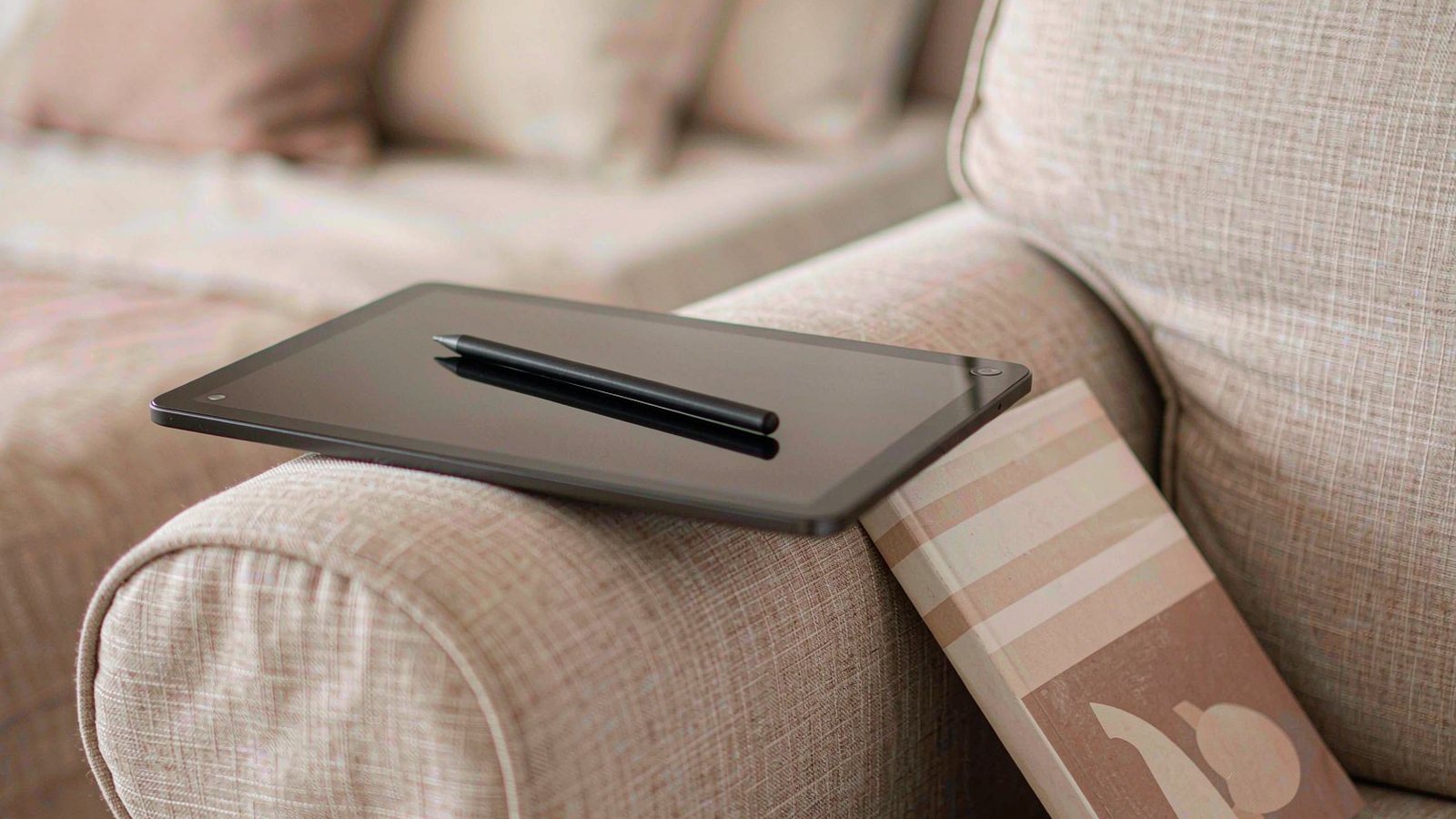
Top picks at a glance
Tap any pick to jump to the full breakdown, or use the link to check the current price.
| Pick | Best for | Check price |
|---|---|---|
| Apple iPad Air (M2) Best overall | Students and professionals who want one device for handwriting, reading and light work | Check price |
| Apple iPad (10th generation) Best value in the Apple range | Budget-conscious students who mainly write, read and watch rather than create | Check price |
| Samsung Galaxy Tab S9 FE Best for Android with a stylus included | Android phone owners who want a tablet and stylus as a single purchase | Check price |
| Microsoft Surface Pro (11th Edition) Best if you need a real desktop OS | People who need desktop applications and want a tablet form factor as well | Check price |
| reMarkable Paper Pro Best for writing and nothing else | Writers, researchers and anyone who wants a distraction-free writing surface | Check price |
| Amazon Fire Max 11 Best cheap reading tablet | Reading, watching and light browsing on a budget | Check price |
Tablets have a reputation for being bought with good intentions and then used for streaming. That is not a failure of the hardware. It is usually a failure of planning, because the tablet decision is really three decisions stacked on top of each other: which operating system, which stylus, and which keyboard.
Get those in the right order and a tablet becomes genuinely useful for reading, annotating and handwriting. Get them wrong and you have an expensive video player.
The ecosystem decision comes first
The stylus and the note-taking apps follow the platform, so platform is the first question and it is the hardest to reverse.
Apple has the widest selection of handwriting and PDF annotation apps, and the longest software support history. The stylus is good, and it is not included.
Android, in practice Samsung, includes the stylus with the tablet, which makes the total cost far lower than it first appears. Application support for creative and academic tools is thinner than on iPad.
Windows gives you a real desktop operating system, which solves the software problem completely and makes everything else heavier and more expensive.
Purpose-built writing devices do one job and refuse to do others. That is either the whole appeal or a complete dealbreaker.
Decide honestly what you will do with the tablet in a normal week, then pick the platform that supports it.
What matters for the three things people actually do
Handwriting
Latency, pressure sensitivity and palm rejection are the three things that decide whether writing feels natural. Palm rejection matters most in practice, because a tablet that registers your resting hand will ruin a page of notes. Screen lamination also matters: on a laminated screen the ink appears directly under the pen tip, while on an unlaminated screen there is a visible gap that takes some getting used to.
A matte screen protector adds friction and reduces glare, which improves the feel at the cost of slightly duller colours and faster stylus tip wear.
Reading
Weight is the deciding factor, and it is the specification nobody checks. A large tablet held in one hand for an hour becomes uncomfortable. Screen reflectivity matters too, because a glossy display in daylight turns into a mirror. If reading is the main use, a smaller and lighter device wins over a larger and brighter one.
Reading applications differ enormously in quality between platforms, particularly for academic PDFs where annotation and citation export matter.
Light work
Text entry on a tablet is fine for email and short documents and tiring for a full day’s writing. If you intend to type regularly, you need a keyboard accessory with real key travel, which adds cost and weight and moves you closer to the price of a laptop. That comparison is worth making honestly before you buy.
The stylus situation, stated plainly
Three things separate a good stylus from a bad one: pressure sensitivity, tilt support and palm rejection. Cheap styluses have none of the three in a reliable form. They work for tapping and scrolling, and they are frustrating for writing.
Charging is the other annoyance. Some styluses attach magnetically to the tablet and charge there, which is convenient but means an extra thing to keep track of. Others charge over a cable or through an adapter that is easy to lose. Check how the stylus charges before buying, because you will do it weekly.
Storage, memory and cellular
Handwritten notes and documents take up very little space. Video, downloaded music and large game libraries are what fill a tablet. If the storage is not expandable and you plan to keep the device for several years, buy one tier above what feels necessary.
Cellular connectivity is worth it only if you will genuinely work away from Wi-Fi. Tethering from a phone is free and adequate for most people, and a cellular tablet costs more up front and requires a data plan.
What we would not pay extra for
- A very high refresh rate for note-taking. It helps scrolling more than it helps writing.
- Top storage tiers without a specific plan for the space. Video streaming does not require downloads.
- A premium keyboard case before you know you will type on it. Most people do not.
- Extended warranties that duplicate a credit card benefit. Check what you already have.
- A larger screen for handwriting. A bigger canvas is nicer and the weight is worse.
How to choose in ten minutes
- List the software you need. If any of it is desktop-only, you are choosing a Windows device.
- Decide whether handwriting is real or aspirational. If it is real, buy a proper stylus and budget for it.
- Pick the size by weight, not by screen. Hold the equivalent in a shop if you can.
- Check the stylus charging method and whether it is included.
- Set a total budget including accessories, then compare devices against that figure rather than the tablet price alone.
- Check the software support history of the brand. A tablet outlives its launch price.
When a laptop is the better purchase
If your week involves long documents, spreadsheets, coding or a course-specific application, a laptop is the correct tool and a tablet will not replace it. If you are buying a tablet hoping it will become your main computer, be honest about whether you will actually buy the keyboard and use it. Many people buy both and use the tablet for reading only, which is a legitimate outcome but an expensive way to reach it.
How this guide was researched
We did not measure stylus latency or screen performance. This comparison is based on published specifications, manufacturer stylus compatibility documentation, software support statements and consistent themes in long-term owner reports, particularly the accessory and battery issues that appear after a year of use. Where we describe writing feel or weight, we are summarising patterns in owner experience rather than results from testing we performed ourselves. Stylus and keyboard compatibility varies between models and generations, so confirm the exact pairing before buying, and check the current price rather than trusting a figure from any article.
Our picks in detail
Apple
01 Apple iPad Air (M2)
The middle of Apple's range, and the sweet spot for most people: fast enough to last years, light enough to hold while reading, and compatible with the better stylus. The accessories are where the cost quietly adds up.
Best for: Students and professionals who want one device for handwriting, reading and light work
- Large laminated display with wide colour coverage
- Support for the pressure-sensitive stylus sold separately
- Support for a magnetic keyboard accessory
- USB-C connection for external drives and displays
Pros
- Excellent handwriting apps with low latency
- Bright, laminated screen reduces the gap between pen and content
- Long software support record
Cons
- Stylus and keyboard are sold separately and add substantially to the cost
- Storage tiers are expensive to upgrade
We may earn a commission from this link. Learn more.
Apple
02 Apple iPad (10th generation)
The cheapest way into the iPad ecosystem and still good enough for notes, reading and video. The stylus situation and the non-laminated screen are the compromises you are accepting.
Best for: Budget-conscious students who mainly write, read and watch rather than create
- 10.9-inch display with a flat-edged design
- Support for a first-generation stylus with an adapter
- Landscape front camera for video calls
- USB-C charging and connection
Pros
- Lowest entry price in the iPad line
- Plenty fast for notes, browsing and streaming
- Good range of cases and keyboard covers available
Cons
- Stylus support requires an adapter and charges awkwardly
- Screen is not laminated, so there is a visible gap under the pen
We may earn a commission from this link. Learn more.
Samsung
03 Samsung Galaxy Tab S9 FE
The stylus is in the box, which changes the value calculation entirely. For Android users who want handwriting without buying accessories separately, this is the most sensible starting point.
Best for: Android phone owners who want a tablet and stylus as a single purchase
- Mid-size display with a high refresh rate
- Stylus included in the box
- Water and dust protection unusual in this category
- Expandable storage via a memory card slot
Pros
- Stylus included rather than sold separately
- Memory card slot allows cheap storage expansion
- Good handwriting performance with Samsung's note apps
Cons
- Android tablet app selection trails the iPad for creative tools
- Software support period is shorter than Apple's
We may earn a commission from this link. Learn more.
Microsoft
04 Microsoft Surface Pro (11th Edition)
A tablet running full desktop software, which solves the one problem every other tablet on this list has. It is also the heaviest and most expensive way to take handwritten notes.
Best for: People who need desktop applications and want a tablet form factor as well
- Desktop operating system with full application support
- Kickstand built into the body
- Magnetic keyboard and stylus accessories
- USB-C ports and optional cellular
Pros
- Runs the same software as a laptop
- Kickstand design is excellent on a desk or a lap tray
- Stylus works well in desktop note applications
Cons
- Keyboard and stylus are separate purchases
- Heavier and more expensive than a dedicated note-taking tablet
We may earn a commission from this link. Learn more.
reMarkable
05 reMarkable Paper Pro
A device that does one thing: it feels like paper and it does not distract you. It is deliberately bad at everything else, which is either the entire point or a reason to avoid it.
Best for: Writers, researchers and anyone who wants a distraction-free writing surface
- Reflective display designed to look and feel like paper
- Stylus with a textured writing surface
- Very long rated battery life
- Focused note and document software
Pros
- Writing feel that other tablets do not match
- No notifications, no app store, no temptation
- Excellent battery life because the screen reflects rather than emits light
Cons
- Cannot run general applications or streaming services
- Expensive for a device that does one job
We may earn a commission from this link. Learn more.
Amazon
06 Amazon Fire Max 11
A large, inexpensive screen for reading and streaming, with stylus support that is adequate rather than good. Buy it for consumption and not for handwriting.
Best for: Reading, watching and light browsing on a budget
- Large high resolution display at a low price
- Optional stylus and keyboard accessories
- Long rated battery life
- Aluminium body unusual at this price
Pros
- Very inexpensive for the screen size
- Solid build quality for a budget tablet
- Good for reading and video
Cons
- Application store is limited compared with the major platforms
- Handwriting apps are poor compared with the alternatives here
We may earn a commission from this link. Learn more.
The bottom line
Our verdict
For most people taking handwritten notes and reading, the iPad Air is the safest purchase: the handwriting experience is the best of the general-purpose tablets here and the machine will still be supported years from now. Android users should look at the Samsung tablet first, because including the stylus in the box makes the real cost much lower than it appears. Choose the Surface only if you genuinely need desktop software, and the reMarkable only if you want a device that does nothing else. The cheapest iPad and the Fire tablet are both fine for reading and notes on a tight budget, provided you accept the stylus compromises.
Frequently asked questions
Is a tablet or a laptop better for a student?
It depends on the software your course requires. A tablet is better for reading, annotating and handwriting in lectures, and lighter to carry. A laptop is better for long essays, spreadsheets and any course that needs installed applications. Many students end up with both, and if you can only have one, the laptop is usually the safer choice.
Do I need the expensive first-party stylus?
For handwriting, usually yes. Third-party styluses often lack pressure sensitivity and palm rejection, which means your hand leaves marks on the page and your lines do not vary with pressure. If you are only tapping buttons and highlighting, a cheap stylus is fine. If you are writing pages of notes, the difference is significant.
How much storage do I need?
Handwritten notes take up very little space, so a modest capacity is fine if that is all you do. Video, offline music and large app libraries are what fill a tablet. If the storage is not expandable and you plan to keep the device for years, buy more than you think you need, since the upgrade later means a new device.
Is a matte screen protector worth it for writing?
It changes the feel noticeably, adding friction and reducing glare, which many people find makes handwriting more enjoyable. The trade-offs are slightly duller colours, more wear on the stylus tip, and the need to replace the protector eventually. It is one of the cheaper ways to improve the writing experience.
Sources & further reading
- Apple iPad — official product and stylus compatibility pages
- Samsung tablets — official product pages
- reMarkable Paper Pro — official product page
Facts and availability last checked September 15, 2026.
Keep going
Related guides
 Tech
Tech The Best Noise-Cancelling Headphones for Commuters and Open Offices
We compared over-ear noise-cancelling headphones on published specs, comfort for long wear, call quality and warranty cover — plus which models to skip and why.
 Tech
Tech The Best Robot Vacuums for Homes With Pets and Constant Hair
Pet hair is the hardest test for a robot vacuum. We compare brush designs, self-emptying bases and navigation to find the ones that cope with real animals.
 Tech
Tech The Best Laptops for College Students Who Don't Want to Replace Them in Two Years
A student laptop should survive four years, not two. We compare repairability, battery, keyboard and support policies instead of benchmark charts.