The Best Webcams for Looking Good on Every Video Call
A better camera helps, but light and placement help more. We compare sensors, autofocus and mounting on the webcams worth buying for remote work.
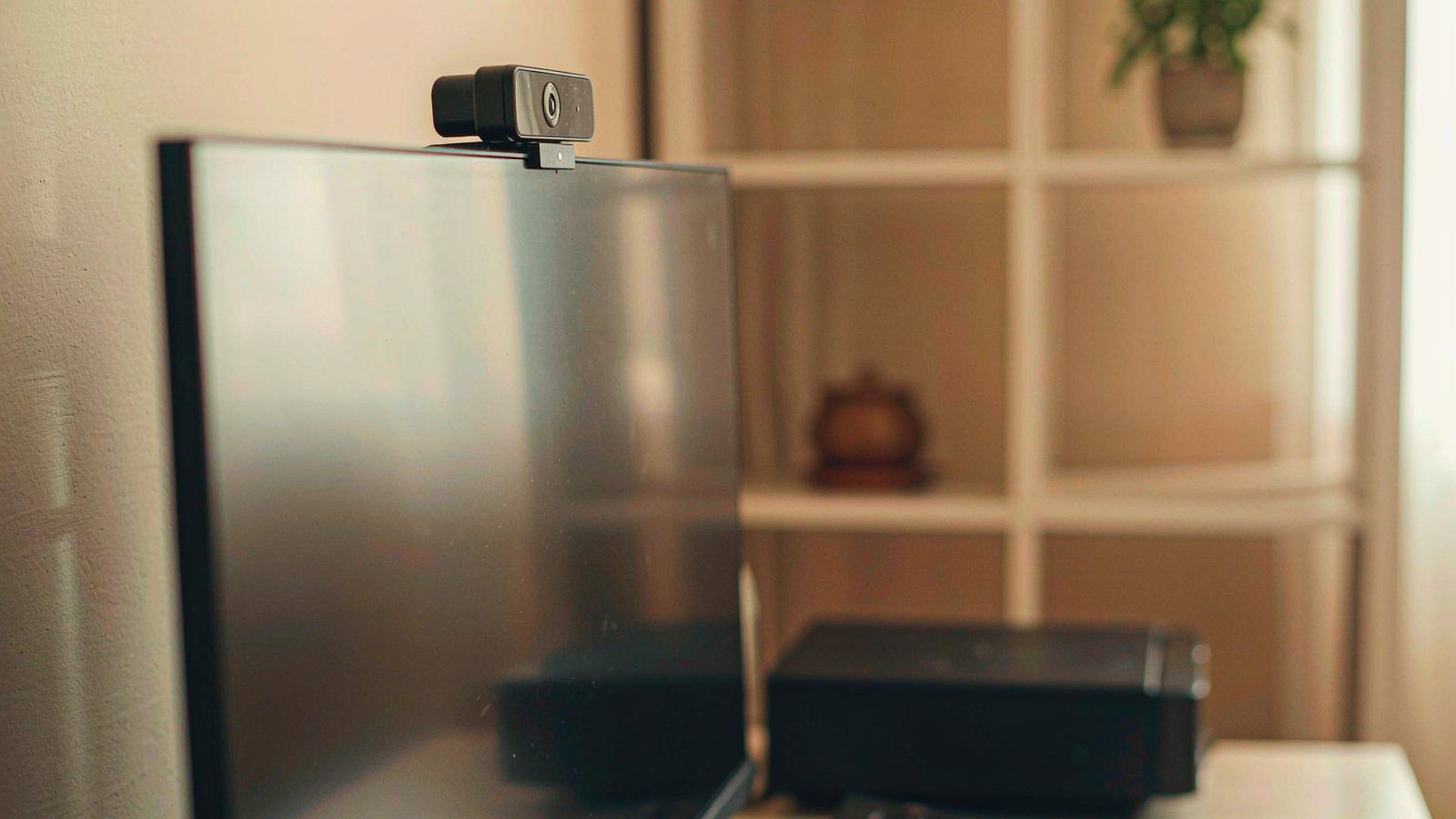
Top picks at a glance
Tap any pick to jump to the full breakdown, or use the link to check the current price.
| Pick | Best for | Check price |
|---|---|---|
| Logitech MX Brio Best overall | People whose calls happen in rooms they cannot light properly | Check price |
| Logitech C920x Best budget pick | Anyone who needs a reliable camera for meetings and does not want to think about it | Check price |
| Insta360 Link Best for automatic framing | Presenters and teachers who move around while talking | Check price |
| Elgato Facecam MK.2 Best for streaming and recording | Streamers and anyone recording content who already owns a separate microphone | Check price |
| Razer Kiyo Pro Ultra Best in very low light | Anyone whose only workspace is a dim corner of a shared flat | Check price |
| AnkerWork C200 Best cheap high resolution | Well-lit desks where detail matters more than dim-room performance | Check price |
Most people buy a webcam because they think their laptop camera is bad, and they are usually right. What they often get wrong is the reason. Laptop cameras are poor mainly because the sensor is tiny and the lens is small, which shows up as noise and smearing in anything other than good light. Buying a better camera helps. Improving the light helps more, and it costs nothing.
So this guide covers both. The shortlist is real, and so is the advice that may make you delay the purchase.
What actually changes how you look on a call
Sensor size before resolution
A webcam with a larger sensor collects more light per pixel, which means less noise and better colour when the room is dim. Resolution matters much less, partly because most call platforms compress video heavily and partly because nobody is studying your footage frame by frame. If you compare two cameras, compare their behaviour in a poorly lit room rather than their pixel counts.
Light, which is free
Face a window if you can, or put a lamp at roughly face height in front of you. Avoid a bright window behind your head, which turns you into a silhouette no camera can rescue. This one change does more for your appearance on calls than moving from a budget webcam to a premium one. Do it first, then decide whether you still need a new camera.
Field of view and where you actually sit
A very wide field of view fits more of the room into frame, including the part you would rather not share. A narrower view flatters your face and hides the mess, but leaves no room to gesture. Many cameras offer an adjustable field of view, and it is a more useful feature than it sounds.
Autofocus and exposure behaviour
Fixed focus is fine if you always sit at the same distance. Autofocus matters if you hold objects up to the camera or move around. Automatic exposure is convenient and sometimes wrong, particularly when a bright window sits behind you, so manual control is worth having if your light is difficult.
The microphone you should probably not rely on
Built-in webcam microphones are acceptable in a quiet room and poor in a room with hard surfaces or background noise. Distance is the main problem: the microphone is on top of your monitor while your voice is a metre away. A separate microphone closer to your mouth will sound better than any webcam upgrade.
Mounting, cables and privacy
Check the clip grips your screen thickness, particularly on a thin laptop lid where many webcams sit awkwardly. Check the cable is long enough for where your computer actually is. And if the camera has no physical shutter, plan for that, because a sliding cover is a small annoyance you will deal with every day.
What we would not pay extra for
- Very high resolution on a camera used mainly for meetings. The platform will compress most of it away.
- Face tracking on a normal desk call. It moves when you do, which is distracting for everyone else.
- Built-in ring lights. Usually weak, always awkwardly placed, and no substitute for a lamp.
- Bundled editing software you will not open. Buy the camera for the camera.
- A tripod you will not use. Most people keep the camera clipped to the screen in the same position forever.
Five fixes to try before you buy anything
- Put a light in front of you at face height. This is the single highest-value change.
- Turn your desk to face the window, or close the blind behind you.
- Raise the camera to eye level. Looking up at a lens from below is unflattering on everyone.
- Sit slightly further back and use a narrower field of view. It flatters your face and shows less of the room.
- Test with the app you actually use, not the camera’s own preview. Compression changes what people see.
If you do those five things and still dislike the result, then buy a camera with a larger sensor.
When the built-in camera is fine
If your calls are occasional and short, a laptop camera in a reasonably lit room is adequate, and the money is better spent elsewhere. If your main complaint is that you sound bad, buy a microphone instead. And if you mostly listen rather than speak on calls, the camera matters very little.
How this guide was researched
We did not photograph test charts or measure sensor performance. This comparison is based on published specifications, manufacturer documentation, platform compatibility notes and consistent themes in long-term owner reports, particularly the mounting, cable and software issues that emerge after the first month. Where we describe low-light behaviour or image quality, we are summarising patterns in owner experience rather than results from a test bench we operated. Camera behaviour also depends heavily on your room, your lighting and the platform you use, so treat the shortlist as a starting point and check the current price before buying.
Our picks in detail
Logitech
01 Logitech MX Brio
A high resolution sensor with good low-light behaviour and software that does not fight you. The price is high for a webcam, and that is the honest trade for image quality that holds up in a dim room.
Best for: People whose calls happen in rooms they cannot light properly
- High resolution sensor with a wide field of view
- Autofocus and automatic exposure
- Physical privacy shutter built into the body
- Companion software for framing and image adjustments
Pros
- Handles dim rooms better than most webcams
- Built-in shutter means no sticky cover needed
- Solid mounting clip that grips a range of screens
Cons
- Expensive compared with the mid-range options
- Software features work best on one operating system
We may earn a commission from this link. Learn more.
Logitech
02 Logitech C920x
The default answer for good reason. It has been on the market for years, it works with everything, and it is cheap. Resolution and low-light performance trail the newer options, but in a lit room it is perfectly serviceable.
Best for: Anyone who needs a reliable camera for meetings and does not want to think about it
- Full HD sensor with automatic light correction
- Stereo microphones built in
- Standard clip mount for monitors and tripods
- Works without additional software on most systems
Pros
- Plug and play on essentially everything
- Very low price for the image quality
- Long production run means plenty of owner experience to draw on
Cons
- Struggles in low light compared with newer sensors
- Field of view is fixed and fairly wide
We may earn a commission from this link. Learn more.
Insta360
03 Insta360 Link
A gimbal-mounted camera that physically moves to keep you framed and can track you around a room. It is genuinely clever and slightly distracting, and it is the right pick if you present while standing or moving.
Best for: Presenters and teachers who move around while talking
- Motorised gimbal that pans and tilts
- Subject tracking modes for framing
- Gesture controls for zoom and framing
- High resolution sensor with autofocus
Pros
- Keeps you centred without manual adjustment
- Doubles as a document camera with the right mode
- Compact when folded for travel
Cons
- Moving camera can be distracting on a normal call
- Motorised parts add a mechanical failure point
We may earn a commission from this link. Learn more.
Elgato
04 Elgato Facecam MK.2
Built for people who control their own image settings rather than letting the camera decide. It has no microphone at all, which is either a sensible omission or a dealbreaker.
Best for: Streamers and anyone recording content who already owns a separate microphone
- Large sensor for its class with manual image controls
- No built-in microphone
- Software with granular exposure and white balance settings
- Standard mounting thread plus a monitor clip
Pros
- Manual controls let you match a consistent look
- Good detail in reasonable light
- Simple, unobtrusive body
Cons
- No microphone, so you need a separate one
- Manual controls assume you know what you are adjusting
We may earn a commission from this link. Learn more.
Razer
05 Razer Kiyo Pro Ultra
A large sensor that pulls in far more light than a typical webcam. It is bulky and expensive, and if your room is genuinely dark it will do more for your image than any other option here.
Best for: Anyone whose only workspace is a dim corner of a shared flat
- Large sensor designed for low-light performance
- Adjustable field of view
- Autofocus with a close focusing distance
- Privacy shutter included
Pros
- Noticeably better in low light than smaller sensors
- Adjustable field of view suits different room sizes
- Close focus allows document or object showing
Cons
- Large and heavy on a laptop screen
- Price is well above the mid-range
We may earn a commission from this link. Learn more.
Anker
06 AnkerWork C200
Higher resolution than the budget standard at a similar price. Fine detail is better, low-light behaviour is not, and the mounting clip is the part most owners upgrade first.
Best for: Well-lit desks where detail matters more than dim-room performance
- High resolution sensor with autofocus
- Built-in microphones with noise reduction
- Privacy shutter on the lens
- Companion software for framing adjustments
Pros
- Sharper image than the older budget standard
- Autofocus handles moving closer to the camera
- Low price for the specification
Cons
- Low-light performance is weaker than the premium picks
- Software is more limited than the established brands
We may earn a commission from this link. Learn more.
The bottom line
Our verdict
For most remote workers, the Logitech MX Brio is the one to buy if the room cannot be improved, because a larger sensor is the only thing that reliably rescues a dim workspace. If your desk is well lit, the much cheaper Logitech C920x remains a sensible buy and the AnkerWork gives you more resolution for similar money. Choose the Insta360 if you stand and move while presenting, and the Elgato if you already own a microphone and want manual control. Before spending anything, though, read the lighting section below — moving one lamp will often do more than upgrading the camera.
Frequently asked questions
Why do I look better on my phone than on my laptop?
Phone cameras use larger sensors and considerably more processing than most laptop webcams, and people usually hold them at a flattering distance and angle. A dedicated webcam narrows the gap, but the biggest factor is that a phone is usually used near a window rather than in a corner of a dim room.
Does a 4K webcam matter for video calls?
Rarely. Most call platforms compress video and many limit resolution, so the extra detail is often discarded before it reaches the other person. Sensor size and lens quality affect how you look far more than pixel count, and both matter more in poor light.
Should I use the webcam microphone?
For occasional calls in a quiet room, a built-in microphone is fine. For anything regular, a separate microphone placed closer to your mouth will sound noticeably better, because distance and room echo affect audio more than the microphone's quality. Audio is usually the more noticeable upgrade of the two.
How do I stop the camera making me look washed out?
Turn off automatic exposure if your software allows it and set it manually, then light your face from the front rather than from behind. A window behind you is the single most common reason people look like silhouettes on calls. A lamp at face height in front of you fixes it for free.
Sources & further reading
- Logitech webcams — official product and specification pages
- Elgato Facecam — official product page
- Insta360 Link — official product page
Facts and availability last checked September 15, 2026.
Keep going
Related guides
 Tech
Tech The Best Noise-Cancelling Headphones for Commuters and Open Offices
We compared over-ear noise-cancelling headphones on published specs, comfort for long wear, call quality and warranty cover — plus which models to skip and why.
 Tech
Tech The Best Robot Vacuums for Homes With Pets and Constant Hair
Pet hair is the hardest test for a robot vacuum. We compare brush designs, self-emptying bases and navigation to find the ones that cope with real animals.
 Tech
Tech The Best Laptops for College Students Who Don't Want to Replace Them in Two Years
A student laptop should survive four years, not two. We compare repairability, battery, keyboard and support policies instead of benchmark charts.